Guide for barbershops
How to run barbershop walk-ins without a clipboard
A practical guide to barbershop walk-ins: a fair queue, honest wait times, mixing walk-ins with bookings, rush-hour rules and tablet check-in.
Updated 6 min readWritten by the ServiceSprig team, reviewed by Trevor, founder. How we write these
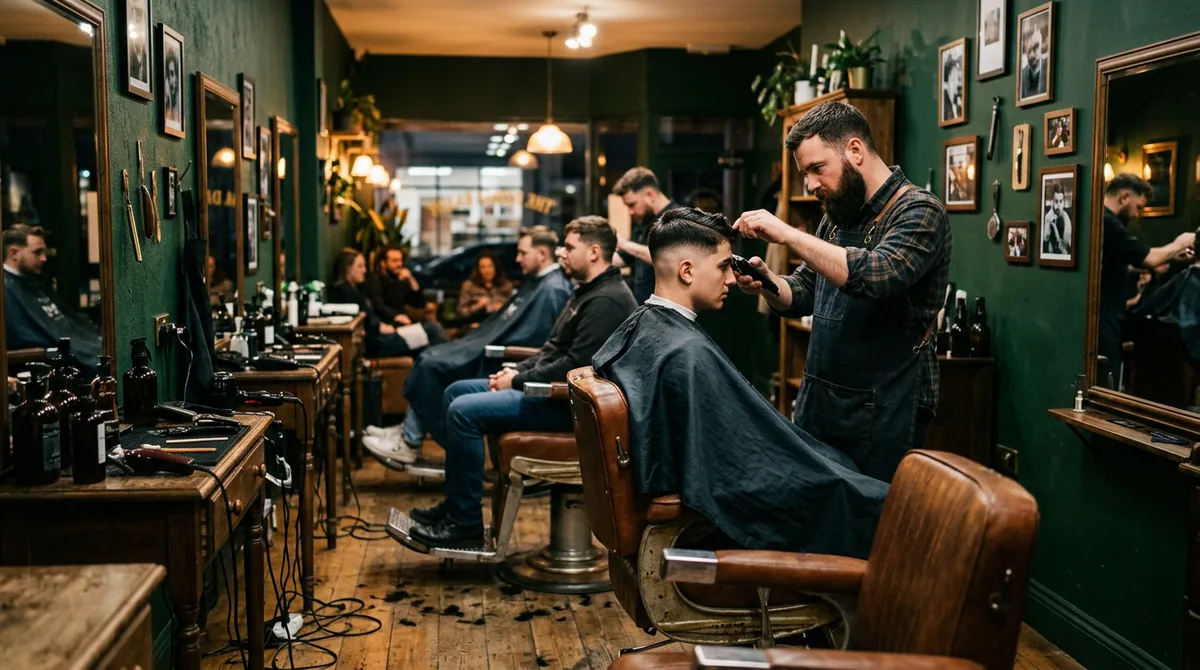
Walk-ins keep a shop busy. They also cause most of the arguments. Someone signs the sheet twice, a regular swears he was here first, and a booked client walks in to find his barber three cuts behind.
The clipboard is the easy part to replace. The harder part is the rules around it. This guide covers both, and most of it works whatever tool you use.
Decide your queue rules before you pick a tool
A fair queue is one people can predict. Write your rules down and put them where walk-ins can see them.
First in, first served, with one exception
Keep one list in the order people arrive. The only exception is barber preference. A client who wants a specific barber keeps his place for that barber, and people behind him who will take "next available" can go first with someone else.
Say this out loud when someone joins. "You're third for Marcus, or first for whoever's free. Your call." Most complaints come from people who did not know that rule existed.
Stepping out
Pick a rule for people who leave to grab food. A simple one: you keep your spot if you are back when your name is called. Miss your call and you drop one place, once. Miss it again and you rejoin at the end.
Give wait times people can trust
People will wait 40 minutes if you tell them 40 minutes. They walk out when you say 15 and it turns into 40.
A quick way to estimate
- Count the walk-ins ahead of the new person.
- Add up how long their services take. Use how long each cut really takes in your shop.
- Add the minutes left on the cuts in progress.
- Add any booked appointments starting in that window.
- Divide by the number of barbers taking walk-ins.
Here is a made-up example. Three barbers take walk-ins. Four people are waiting for 30-minute cuts, which is 120 minutes. The current cuts have about 30 minutes left between them. One barber has a 45-minute booked fade at 2:00. That makes 195 minutes of work across three chairs, or about 65 minutes.
Quote a range
Say "about an hour, maybe a little more." A range covers the cut that runs long. If the wait grows, tell people before they ask.
Mix walk-ins with booked appointments
Bookings and walk-ins can share a shop. They need clear lanes.
Pick a model that fits your shop
- Walk-in barbers and booking barbers. One or two chairs take only walk-ins. The rest work from the calendar. Simple, and nobody waits on a booking.
- Walk-in hours. Bookings in the morning, walk-ins from 3pm, or walk-in Saturdays. Clients learn the pattern fast.
- Fill the gaps. Everyone books, and walk-ins take whatever gaps open up. This suits quieter shops, with the least predictable waits.
Protect the booked client
A booked client goes in at his time. If a walk-in cut would run into a booking, give it to another barber or tell the walk-in the real wait.
Set a grace period for late bookings, such as 10 minutes. After that, the next walk-in goes in and the late client waits for a gap. Post the rule on your booking page.
Stop online bookings from jumping the queue
In a mixed shop, someone can book online for a slot that walk-ins were waiting on. Set a minimum notice for online bookings, such as an hour, so the next hour belongs to the people already in the shop. In ServiceSprig online booking you set how far ahead clients can book and the minimum notice you need. Clients can also pick a specific barber or the first one free.
Front desk or no front desk
With someone on the desk
One person owns the queue. They add people, give wait times, call names and handle walk-outs. Barbers never touch the list. This is the calmest setup if you can staff it on busy days.
With no one on the desk
Most small shops have no receptionist. Then the list has to run itself.
- Put the check-in point by the door, so people join before they ask a barber.
- Keep the queue visible to every barber, on a phone or a screen at the stations.
- Agree that whoever finishes first calls the next name. Nobody picks favourites.
- Keep a way for barbers to add someone who asks mid-cut, so that person joins the same list.
What to do at rush
Saturdays and the hour after work are where shops lose people. A few habits help.
- Close the list on time. Pick a cut-off before closing, based on your chairs and service times. When the list is full, say so at the door.
- Offer a later time. Some people would rather come back than wait. Offer them a set time later in the day. With ServiceSprig you can text them a SprigLink, a one-time link to one open slot. They tap it and they are booked. The link only works once, so the slot cannot be double booked.
- Fill cancellations from the waitlist. If a booked client cancels, an online waitlist can offer that slot to other clients by email. In ServiceSprig (Solo and Shop plans), up to three matching clients get the offer and the first to claim it within 30 minutes gets the slot.
- Update waits out loud. A two-second "about 20 more minutes" stops most walk-outs.
Set up tablet check-in
A tablet replaces the clipboard and gives you a timed list.
What to set up
- Pick a spot. Near the door, at standing height, out of the way of the chairs.
- Keep it charged. Run a cable to the stand. A dead tablet at 11am on a Saturday brings the clipboard back.
- Lock it to the check-in screen. On an iPad, use Guided Access to keep it in one app (Apple Support, checked 2026-11-01). On Android, use screen pinning (Android Help, checked 2026-11-01).
- Add a small sign. "Walk-ins: check in here. Booked? Check in with your phone number."
How ServiceSprig check-in works
The ServiceSprig walk-in check-in kiosk runs in the browser on any tablet. There is no special hardware. It's on the Solo and Shop plans.
- Walk-ins pick a service and add their name. Booked clients type their phone number to say they have arrived.
- Front desk shows the queue in order and how long each person has waited. It updates on its own.
- Start a walk-in and they go onto the calendar at the current time with the barber you choose.
- People who ask at the counter can be added from Front desk to the same queue.
- The tablet cannot see your calendar or client list. Each tablet has its own link that you can turn off from the dashboard.
At launch, you can take cards at the counter on your own phone with Stripe's free Dashboard app, with no reader to buy. That payment happens in Stripe's app, not in ServiceSprig, and Stripe's card fees apply.
FAQ
How do I keep a walk-in queue fair?
Keep one list in arrival order and post your rules. The usual exception is barber preference, which holds a place for that barber only.
How do I estimate a walk-in wait time?
Add the service times of everyone ahead, the time left on current cuts and any bookings in that window. Divide by the barbers taking walk-ins and quote a range.
Can a barbershop take walk-ins and appointments at the same time?
Yes. Split chairs, set walk-in hours, or fit walk-ins into gaps. Protect booked times and set a minimum notice for online bookings.
Do I need special hardware for tablet check-in?
Not with ServiceSprig. Any tablet with a web browser works. Open the check-in link and add it to the home screen.
Try it in your shop
ServiceSprig is in early access. It brings your website, online booking, walk-in check-in and reminders together for barbershops and other appointment businesses. See ServiceSprig's barber software.