Guide for mobile detailers
Booking and reminders for mobile detailers
Set up mobile detailing bookings that work: service areas, travel time, intake questions, reminders, rebook timing, rain days and deposit rules.
Updated 7 min readWritten by the ServiceSprig team, reviewed by Trevor, founder. How we write these
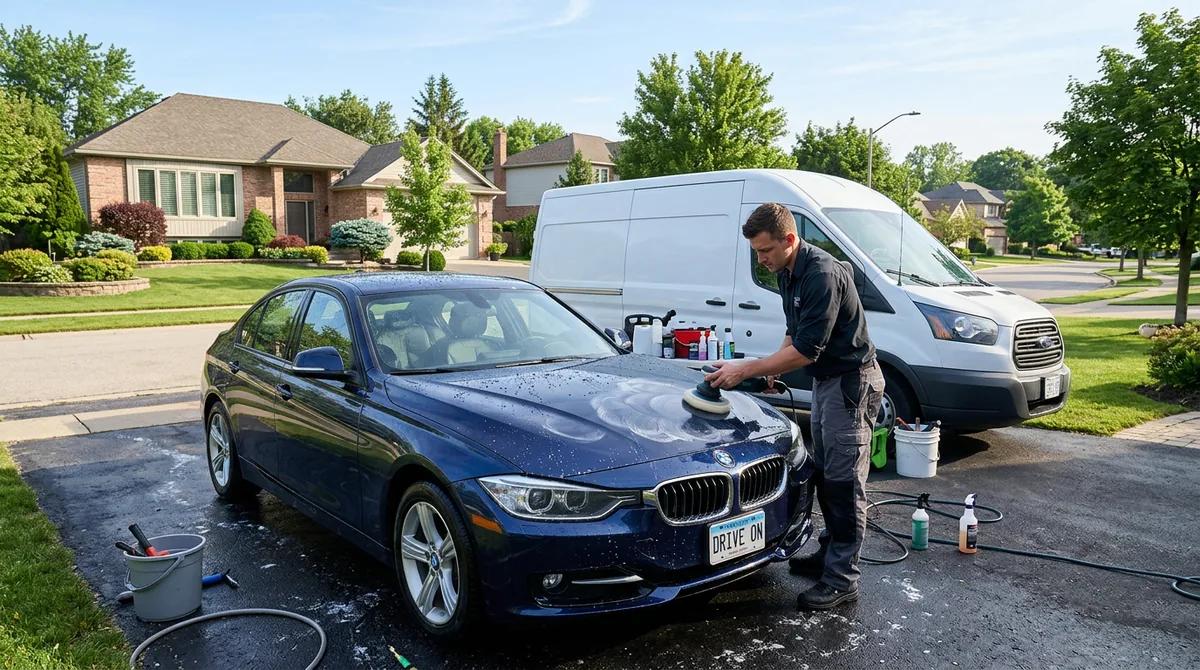
A mobile detailer's day includes the drive, the driveway, the tap and the forecast. Your booking setup has to cover all of that before you load the van.
This guide goes through it in order. Most of it works with any booking tool, or a notebook.
Draw your service area first
Every booking outside your area costs you drive time you cannot bill.
Pick zones you can actually cover
Start from where you park the van at night. Mark the areas you can reach in a reasonable drive at the times you work. Rush hour changes that map, so draw it for a weekday morning.
ZIP codes are an easy way to describe the area. Customers know their ZIP, and you can list exactly which ones you cover.
Decide in advance what to do with requests just outside your area: decline and refer, charge a travel fee you state up front, or accept only on days you are nearby.
With ServiceSprig online booking for mobile detailers, you list the ZIP codes, ZIP prefixes (such as 773) or area names you cover. Clients enter the service address, and addresses outside your area can't book online. The check applies to every way of booking: your booking page, SprigLinks and waitlist offers. Edge cases can still come to you by message.
Plan travel time between jobs
A four-hour full detail booked right after a job 25 minutes away does not fit in four hours.
- Time your real drives. Note how long the trip between your common zones takes at the hours you work.
- Add a buffer after each job. Cover pack-down, the drive and setup at the next driveway.
- Group by area. Work one side of town on set days so the drives stay short. Tell customers "we're in your area on Tuesdays and Fridays" and most will pick those days.
ServiceSprig blocks time based on your service lengths and hours today. Travel buffers worked out from your zones are planned and not available yet. Until then, build your drive time into the service length or keep your days grouped by area.
Ask the right intake questions
The worst surprises on a detailing job are the ones a single question would have caught. Ask before the day.
Vehicle
- Make, model, year and size
Size changes price and time. List packages by vehicle size so the price matches the job. In ServiceSprig you can set up a separate package for a car, SUV or van, each with its own price and length, so prices are clear up front.
Extras change the job too. Set up add-ons like engine bay cleaning or pet hair removal, each with its own price and time, and link them to your detailing services for a car, SUV or van. Clients tick the ones they want when they book, and the price and the time on your calendar add up on their own, so you arrive knowing the full job.
Condition
- Pet hair, sand, stains, smoke or odours
- When it was last detailed
Ask customers to add photos of the worst spots to their intake form when they book. They can take them with their phone's camera or pick them from the gallery. The photos stay private to your business, and location data is removed from every photo.
Site access
- Address, and whether the car is in a driveway, street, garage or office car park
- Access to an outside tap and a power outlet
- Building or HOA rules about washing, gate codes and key handover
Some detailers carry their own water and power. Others need the customer's. Say which on your booking page.
With ServiceSprig intake forms, you build the form once with text, choice, date, checkbox and signature questions and attach it to the services that need it. Ask on every booking, once, or yearly. Clients get a private link as soon as they book, and your calendar shows whether it is done.
Send confirmations and reminders
A reminder catches the customer who forgot they booked, and the one who forgot to leave the car out.
What a good reminder includes
- The date and arrival window
- The address on file, so they can spot a mistake
- What you need from them: car unlocked, keys left out, tap and outlet clear
- How to reschedule or cancel, and your notice period
Timing
A confirmation at booking and a reminder the day before cover most jobs. For long jobs such as a ceramic coating, a check-in a few days ahead gives time to sort out parking or access.
ServiceSprig reminders send a confirmation on every booking and an email reminder about 24 hours before each visit. If a client reschedules, the old reminder is cancelled and a new one is set. Every confirmation email has a link to reschedule or cancel within the rules you set. Text-message reminders are planned and not available yet, so for now any text reminders come from your own phone.
Time the rebook for maintenance details
Maintenance washes and interior refreshes work best on a schedule. A car that is kept up takes less time each visit.
- Pick an interval for each service based on how the car is used. A daily commuter might want a wash every two weeks. A weekend car might be fine monthly.
- Ask at the end of the job: "Same time in four weeks?" Book it before you leave.
- For anyone who does not book on the spot, send a reminder when the interval is up.
On the Solo and Shop plans, ServiceSprig can send a rebooking nudge at the interval you set for each service. It is off until you turn it on. For regulars who always want the same slot, book a recurring appointment from your calendar: every 1 to 8 weeks, up to 26 visits or 12 months, with any clashes shown before you save. You can also track monthly maintenance plans with memberships. You record payments yourself for now, and automatic membership billing is planned.
Handle weather reschedules
Rain is part of the job. A clear policy turns a rain day into a few quick messages.
Write the policy before the first storm
- Who calls it: you decide on weather, and say when you will decide, such as 7pm the night before.
- What it costs: decide whether a weather reschedule is free and whether the deposit carries over.
- What counts: heavy rain, high wind or freezing temperatures. Say whether a covered garage keeps the job on.
Put it on your booking page and in your confirmation.
Rebook fast
When you call off a day, offer each customer a specific new time instead of asking "when works?" With ServiceSprig you can text a SprigLink, a one-time link to one open slot. The customer taps it, checks the details and is booked. Each link works once and can expire after up to 48 hours.
When a customer cancels on a good day, a waitlist can fill the gap. On the Solo and Shop plans, ServiceSprig emails the freed slot to up to three matching clients on your waitlist, and the first to claim it within 30 minutes gets it.
Set a deposit policy
Deposits matter most on long or high-value jobs, such as full details and ceramic coatings, where a no-show costs you most of a day.
Decide:
- Which services need a deposit, and how much
- Whether it comes off the final price
- When it is refunded: weather reschedules, cancellations with enough notice
- When it is kept: late cancellations or no-shows
In ServiceSprig you can set a deposit per service and one cancellation policy for your business, and clients see both before they book. When ServiceSprig opens, on the Solo and Shop plans, clients can pay the deposit or the full price online when they book, through your own Stripe account. Until then, if you need money up front for a big job, collect it with the payment tool you already use and note it on the booking.
FAQ
How do mobile detailers handle travel time between jobs?
Time your real drives, add a buffer after each job and group bookings by area on set days.
What should a mobile detailing intake form ask?
Vehicle and size, condition, address and parking spot, and water and power access.
What is a fair rain policy for mobile detailing?
Say who decides, when, and what it costs. Then offer a specific new time.
Can I take online deposits with ServiceSprig?
At launch, on the Solo and Shop plans. Online deposits and prepay through Stripe switch on the day ServiceSprig opens. You connect your own Stripe account, so the money goes straight to your bank. Today you can set and show a deposit policy per service.
Try it for your detailing business
ServiceSprig is in early access. It gives mobile detailers a website with online booking, a service-area check, packages listed by vehicle size, intake forms for address and vehicle details, and email reminders. Join early access for mobile detailers.